
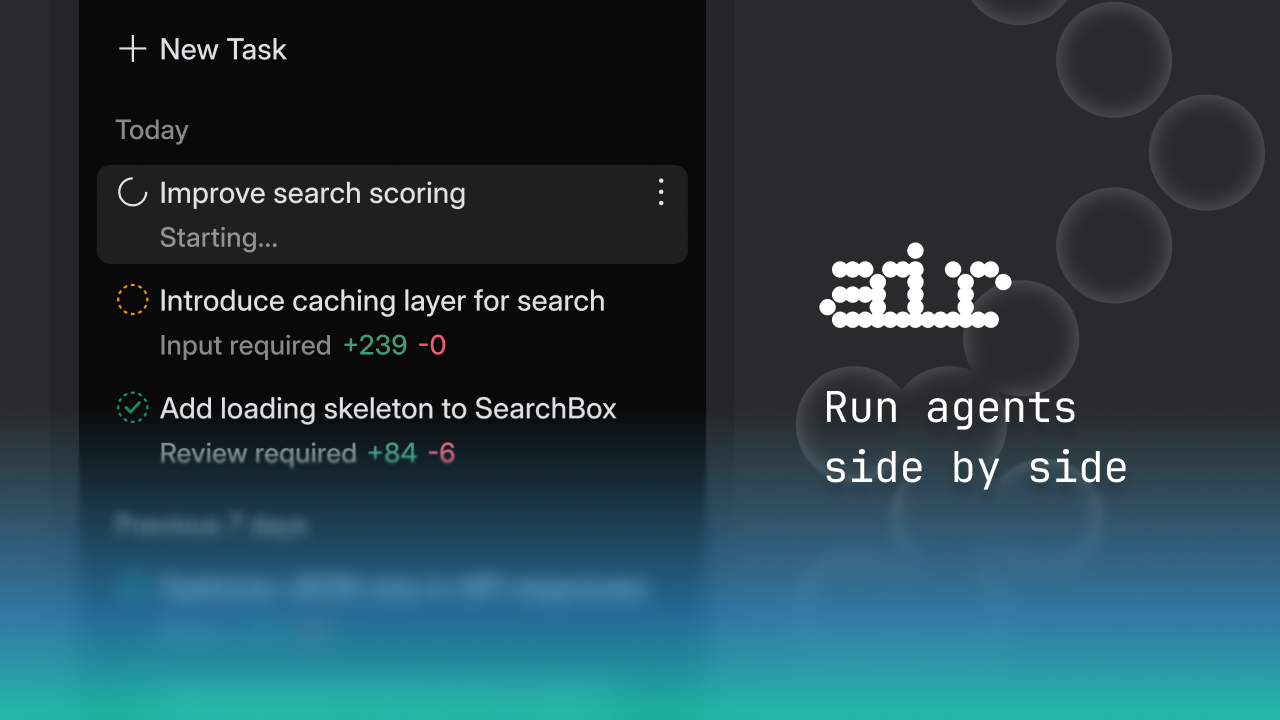
JetBrains Air Review: Unifying the AI Agent Development Ecosystem
Run Codex, Claude Agents, Gemini CLI, and Junie side by side
Product Overview: The Operating System for AI Agents
JetBrains Air enters the burgeoning field of AI-assisted coding not as another standalone AI helper, but as a crucial integration layer. Its tagline perfectly encapsulates its mission: "Run Codex, Claude Agents, Gemini CLI, and Junie side by side." In a landscape rapidly filling with specialized large language model (LLM) agents—from code generation tools to debugging assistants—JetBrains Air aims to be the centralized control panel. It’s an application designed specifically for agent-driven development, providing a cohesive environment where developers can orchestrate multiple AI personalities against their actual projects.
The target audience for JetBrains Air is clearly the power user, the developer already experimenting with, or committed to integrating, multiple generative AI tools into their daily workflow. Instead of juggling separate terminals, web interfaces, and configuration files for each agent, Air promises a single pane of glass. Its core value proposition centers on workflow coherence: defining precise tasks, executing agent runs in secure isolation, and leveraging JetBrains’ renowned code intelligence to review the generated outputs effectively.
Problem & Solution: Taming the AI Agent Zoo
The specific problem JetBrains Air tackles is the inherent fragmentation of the modern AI coding stack. Developers are adopting agents from various providers (OpenAI’s Codex lineage, Anthropic’s Claude, Google’s Gemini) and open-source projects (like Junie). Each agent requires its own prompt structure, context feeding mechanism, and output handling. This results in context switching overhead, duplicated setup, and difficulty comparing the efficacy of different models for the same task.
JetBrains Air solves this by acting as a unified execution and context manager. It abstracts away the specifics of which agent is running and focuses on the task at hand. By standardizing task definition and providing a robust review environment—critical when dealing with potentially hallucinated or suboptimal AI code—Air dramatically lowers the friction of multi-agent development, filling a significant gap between specialized agent tools and mainstream IDE functionality.
Key Features & Highlights: Coherence Meets Code Intelligence
The standout feature of JetBrains Air is its inherent understanding of the code environment. Unlike web-based AI sandboxes, Air is designed to integrate deeply, allowing agents to run against real, complex codebases. This context awareness is what sets it apart.
Key features that drive this experience include:
- Multi-Agent Orchestration: Seamlessly switch between or even chain outputs from Codex, Claude Agent, Gemini CLI, and Junie without leaving the application.
- Precise Task Definition: Tools to clearly scope the AI task, minimizing ambiguity that often plagues general-purpose chat interfaces.
- Isolated Execution: The ability to run agents in isolated environments ensures that experimental or potentially destructive AI operations don't inadvertently corrupt the primary working directory.
- Code Intelligence Review: This is arguably the most powerful aspect. Reviewing AI-generated suggestions benefits immensely from JetBrains’ existing tooling for syntax checking, semantic understanding, and refactoring hints, making verification faster and more reliable.
The user experience, even in this early macOS release, focuses on minimizing cognitive load. Developers can focus their intellectual energy on validating the logic of the AI output rather than troubleshooting the plumbing required to run the agent itself.
Potential Drawbacks & Areas for Improvement
As a new entrant focused on orchestration, JetBrains Air currently faces limitations inherent in its platform availability. The immediate drawback for many users will be the current lack of native Windows and Linux support, confining early adoption to the macOS developer community.
Furthermore, while the description promises integration of existing CLI tools, the true value proposition hinges on the depth of that integration. Future enhancements should focus on:
- Configuration Flexibility: Providing more granular control over API keys, rate limits, and model parameters for advanced users managing enterprise-level access to these LLMs.
- Bidirectional Sync: Improving how reviewed and accepted AI code suggestions are seamlessly committed back into the local Git workflow, perhaps integrating directly with JetBrains IDE commit windows.
- Task Templating: Developing a library of common development patterns (e.g., "Implement interface," "Refactor error handling") that users can rapidly assign to different agents for comparative testing.
Bottom Line & Recommendation
JetBrains Air is a powerful and necessary abstraction layer for any developer serious about leveraging the diverse landscape of coding AI agents. If you are currently frustrated by context switching between three or four different AI tools to solve a single problem, Air offers immediate workflow relief. It transforms a scattered collection of LLM APIs into a manageable, code-aware development environment.
I highly recommend that macOS-based developers utilizing multiple AI models download and test JetBrains Air. It’s a crucial step towards creating a truly integrated, agent-driven software development lifecycle. Keep a close eye on the upcoming Windows and Linux releases, as this platform has the potential to become the standard hub for multi-agent coding workflows.